Operating System Adaptive
What if visual comfort was one tap away?
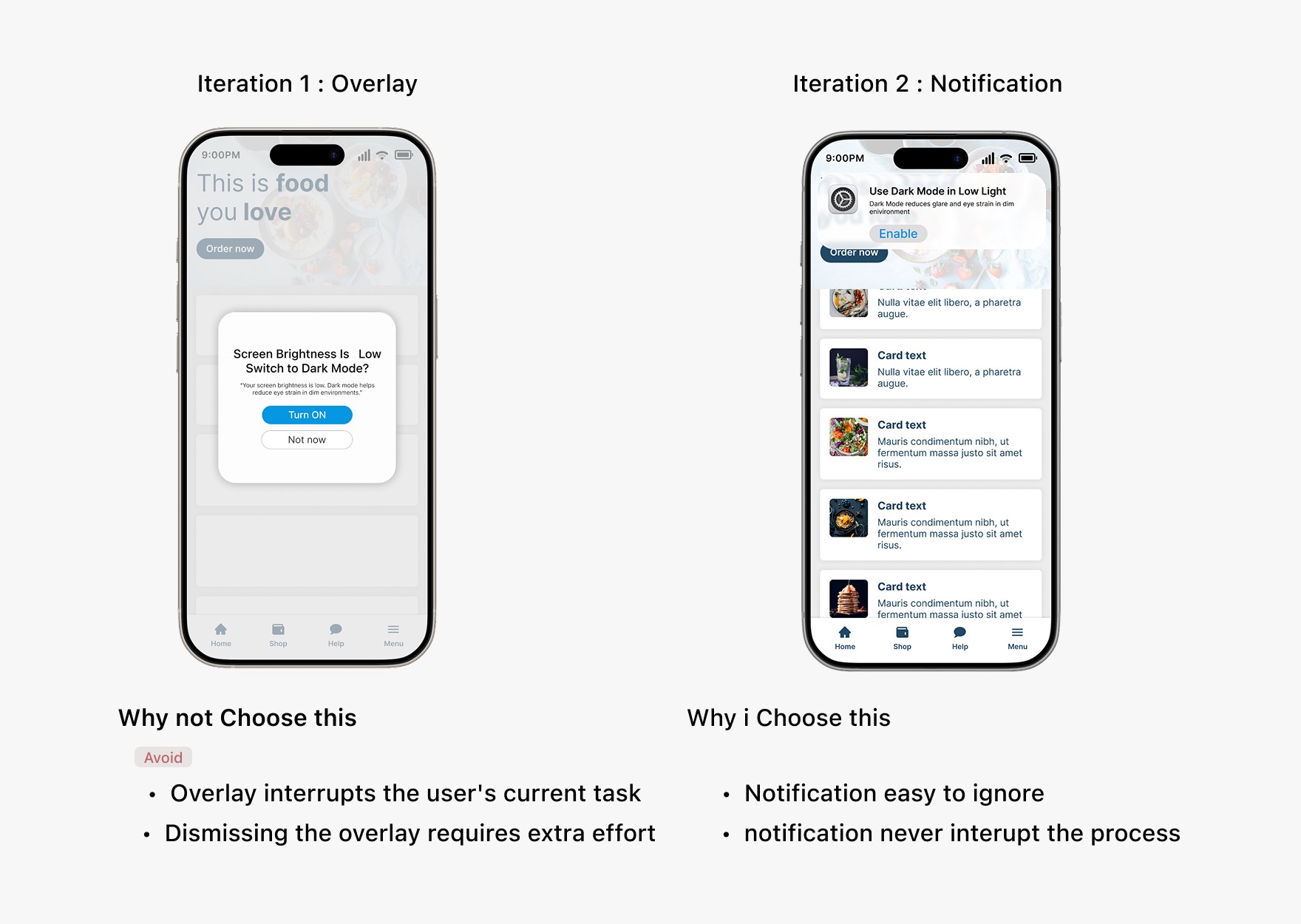
Screen brightness changes frequently based on environmental conditions, but light and dark modes usually require manual switching. This often results in visual discomfort and reduced readability when the interface does not adapt to changing brightness levels.This case study explores how automatic mode switching based on brightness can improve visual comfort while reducing user effort.
Role
product desinger
Timeline
21 days
Impact
Improved readability and visual comfort
Less manual effort managing display modes
Reduced eye strain during prolonged screen usage
Problem Area
one mode doesn’t fit every lighting condition
Screen brightness changes frequently based on environment and usage, but light and dark modes often rely on manual control. When the interface does not adapt to changing brightness levels,
users experience visual discomfort, reduced readability, and eye strain
UX Research
Research Method
I explored how the human eye adapts to different lighting conditions and how mismatched screen brightness contributes to eye strain and visual discomfort during prolonged use.
Does this problem really matters to eye ?
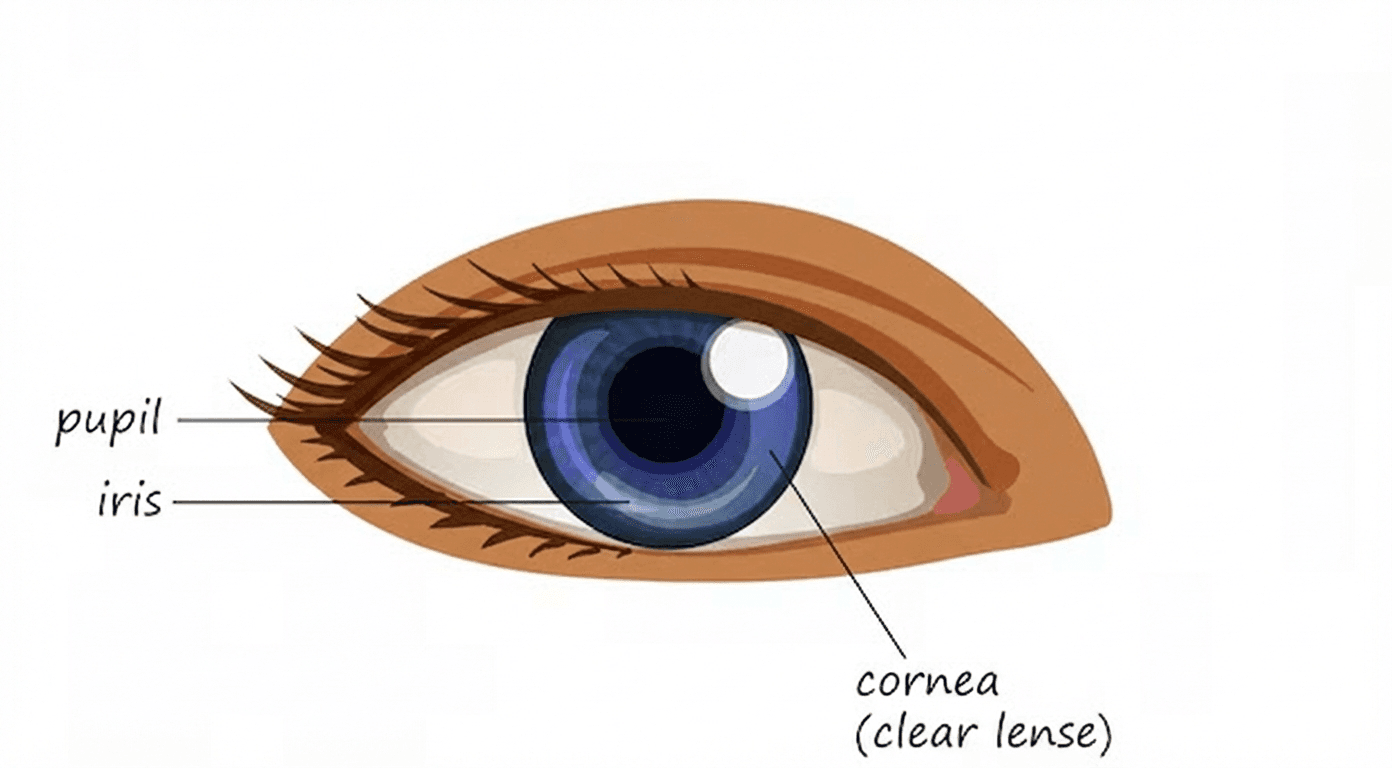
Let’s understand the eye briefly
The iris and pupil are responsible for adjusting to different lighting conditions.
Pupil
The pupil regulates light entry into the eye based on lighting conditions.
Pupil functioning
• In bright lighting conditions, the pupil becomes smaller to limit the amount of light entering the eye.
• In low-light conditions, the pupil becomes larger to allow more light to enter the eye.
Iris
The Iris controls the size of the pupil to regulate how much light enters the eye.
How brightness and display modes affect the eyes
• Mismatched screen brightness and surrounding lighting eyes easily eye tired
• Frequent pupil and iris adjustments increase visual effort.
• Over time, this leads to eye strain and visual fatigue.
Key Insights
Light and dark modes serve different needs
White backgrounds with dark text improve clarity and focus in bright environments, while dark backgrounds with light text reduce glare and visual strain in low-light conditions.
users lack awareness of visual comfort
Most users are unaware of how display modes influence visual comfort across lighting conditions.
manual mode switching creates friction
Users struggle to maintain visual comfort because manual mode switching is required, causing unnecessary effort and reduced overall comfort.
Design Goals
what i aimed to achieve

Reduce visual strain
Support comfortable viewing across different lighting conditions.

reduce manual effort
Eliminate the need for manual light and dark mode switching.

improved reading comfort
Keep text clear and readable in both bright and low-light environments.
design decision 01
Reducing friction in manual mode switching
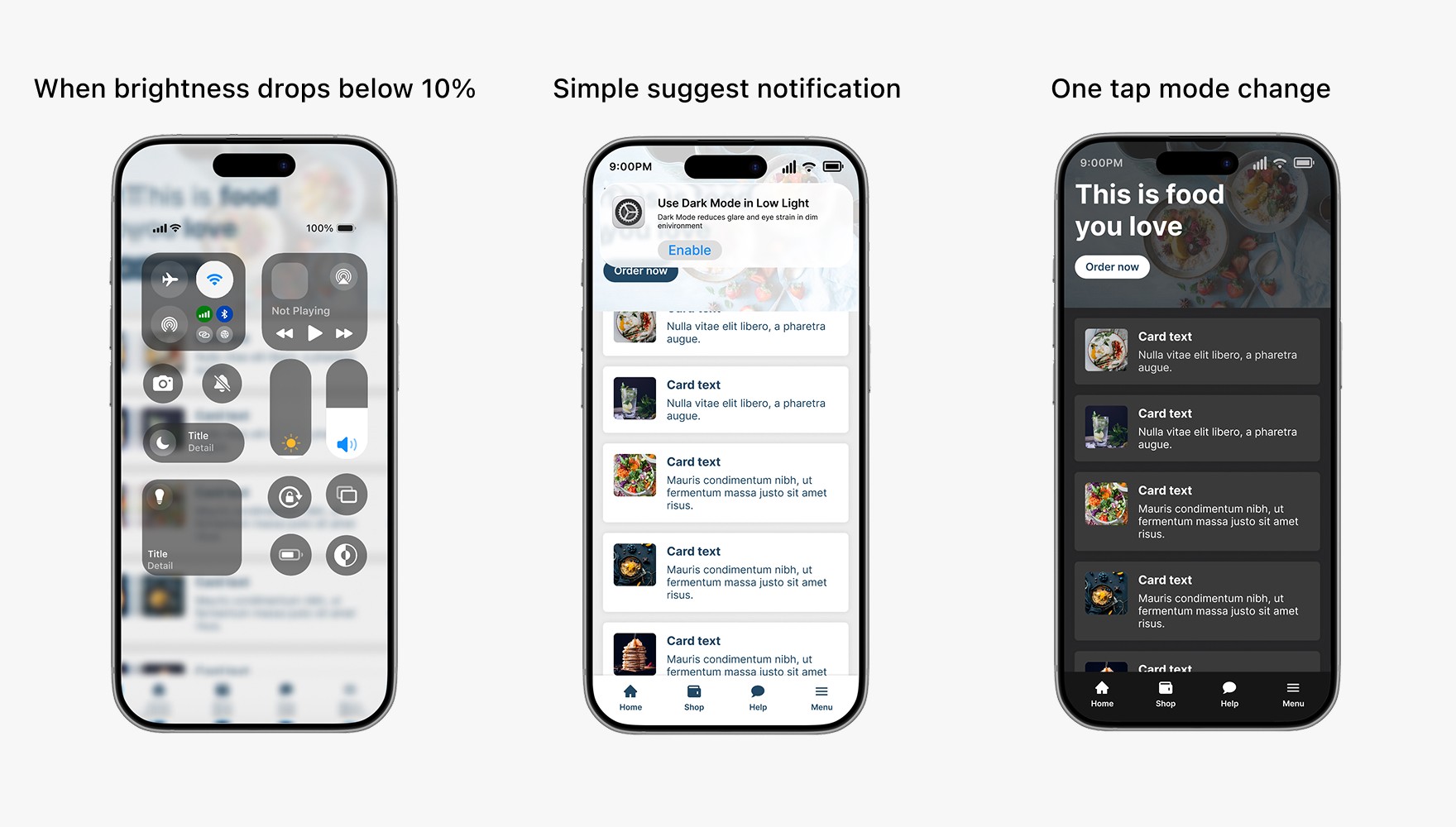
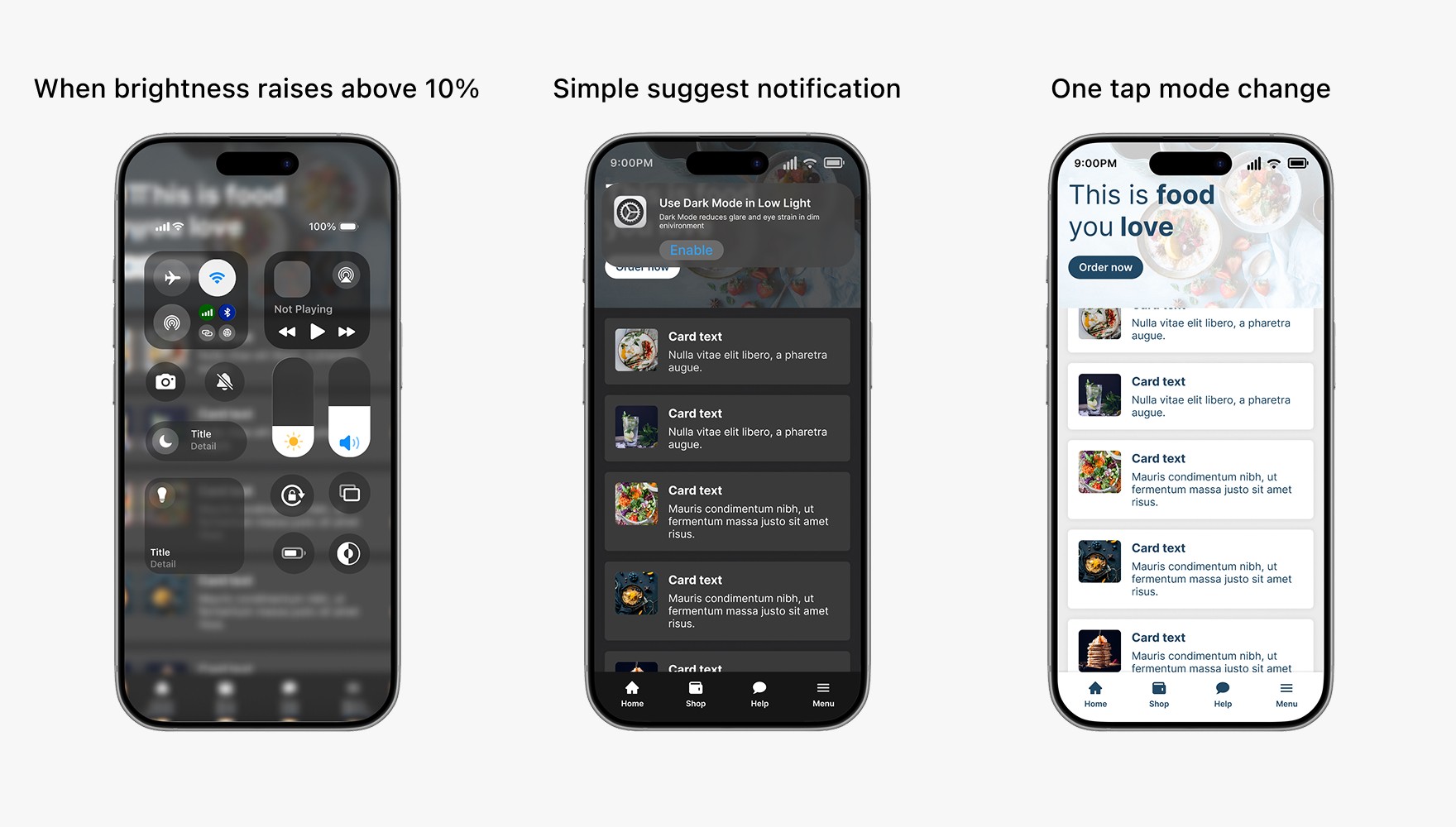
Switching display modes requires unnecessary effort, often involving multiple steps through the Control Center, causing users to ignore environmental changes and avoid adjusting the mode, so I introduced a contextual suggestion notification that enables a one-tap switch.
☀️ Light mode for bright environments — improves clarity and contrast in daylight.
🌙 Dark mode for low-light environments — reduces glare and eye strain at night.
design decision 02
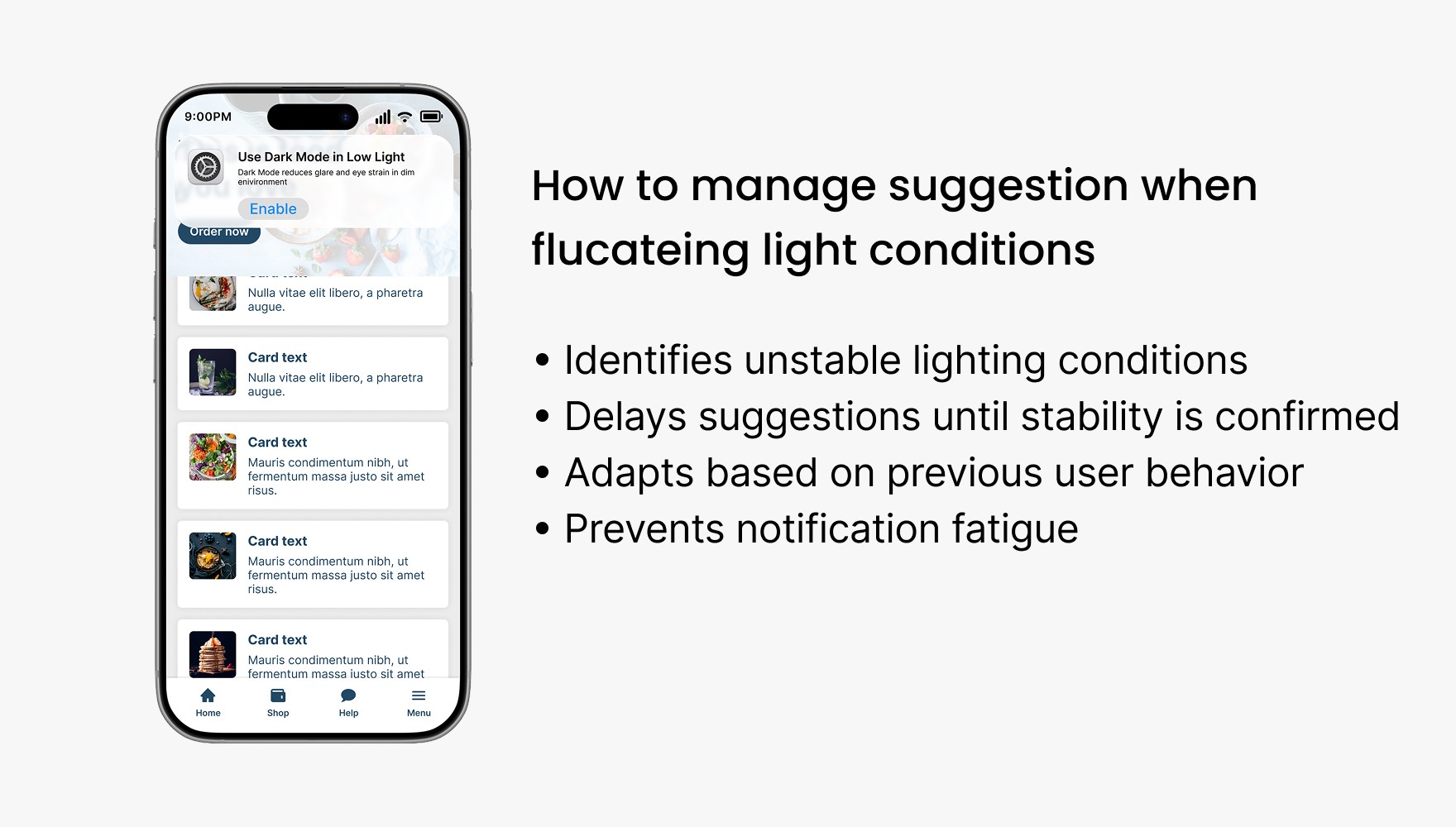
Reducing unnecessary mode suggestions with ML-driven timing
When lighting fluctuates frequently, such as while walking under street lights at night, the machine learning model detects the instability and waits until conditions remain stable for several minutes before suggesting a mode change. It also considers whether users previously ignored suggestions, reducing unnecessary prompts and preventing frustration
design decision 03
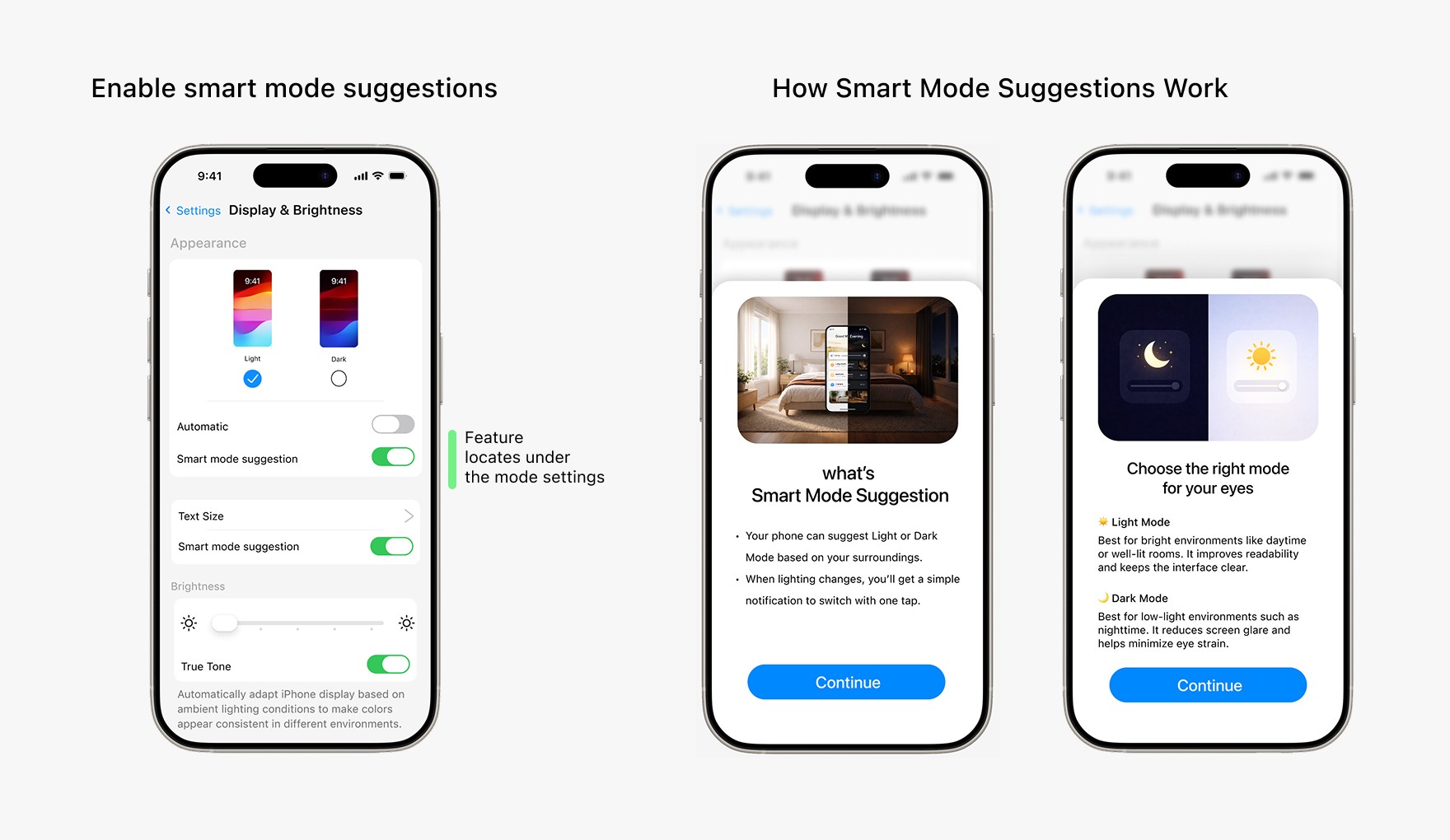
Educating users on when to use light and dark modes
Many users are unaware of when light or dark mode is most appropriate, especially when the feature is first introduced, so I included a brief onboarding guide that explains when each mode works best to help users make informed choices and how eyes effects by mode.
design decision 04
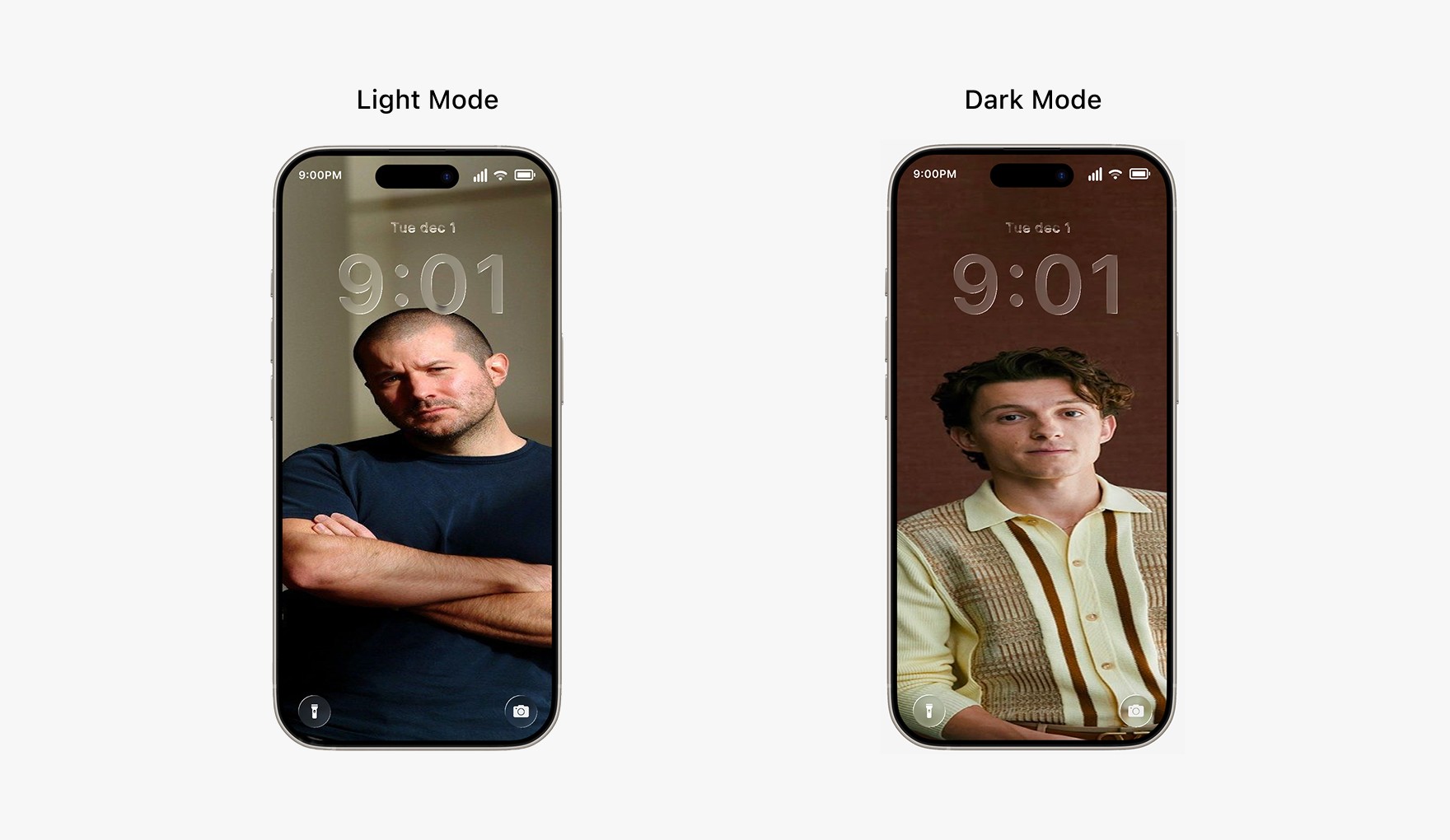
Custom wallpapers for each mode match the environment
Bright wallpapers appear too bright in dark environments, and dark wallpapers feel dull in bright environments. To maintain visual comfort and consistency, I enabled separate wallpapers for Light and Dark modes.
design decision 05
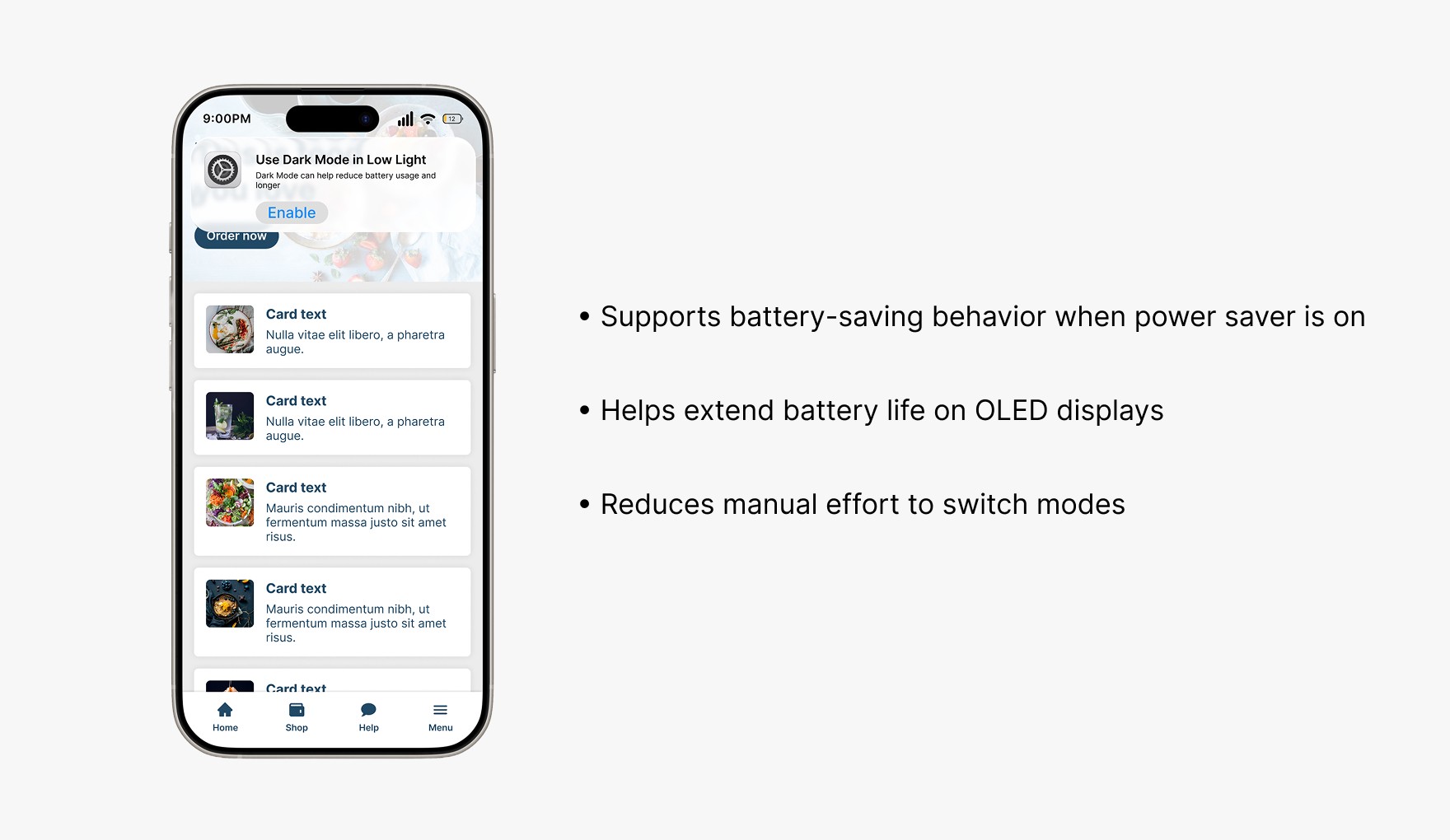
Connecting dark mode to energy-battery saving intent
When users turn on battery saver to save power, I suggested dark mode as a related action, creating a more consistent and energy-efficient experience.
Retrospective
Designing for ease as well as comfort
Impact
Reduced eye strain
Adaptive suggestions improve visual comfort.
Lower interaction effort
Mode switching becomes a one-tap action.
Users gain awareness of lighting
Guidance helps users understand when to use each mode.
Few things that i learned
This case study clarified how small structural decisions can significantly change user behavior, clarity leads to confidence, and trust in a product.
Suggestions are better than forced automation
Giving users a smart suggestion maintains control while still reducing effort.

Education increases feature adoption
Brief guidance helps users understand when and why to use new system features
Let’s Build Better Products Together