Google Messages
Reducing Inbox noise with smarter inbox organization
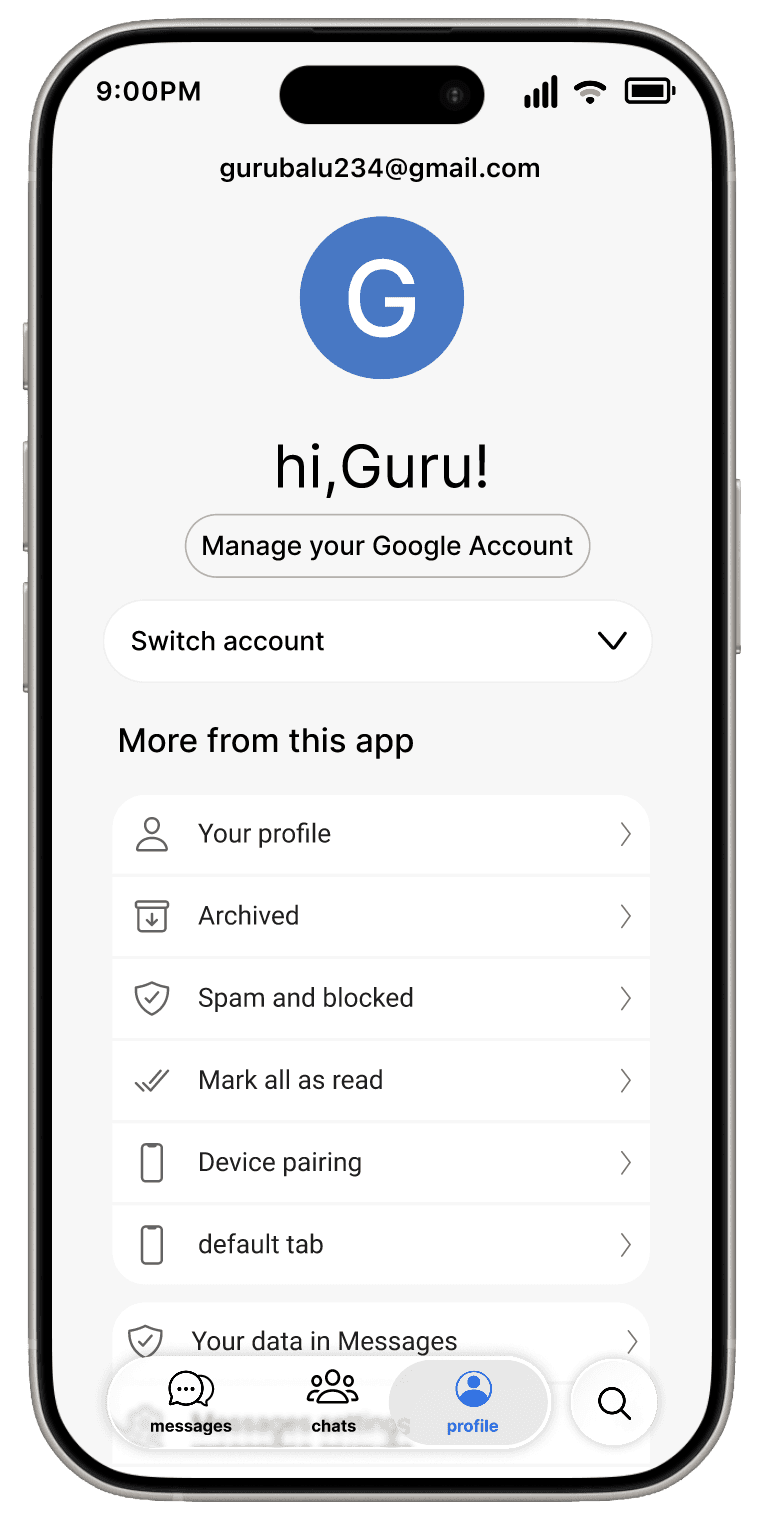
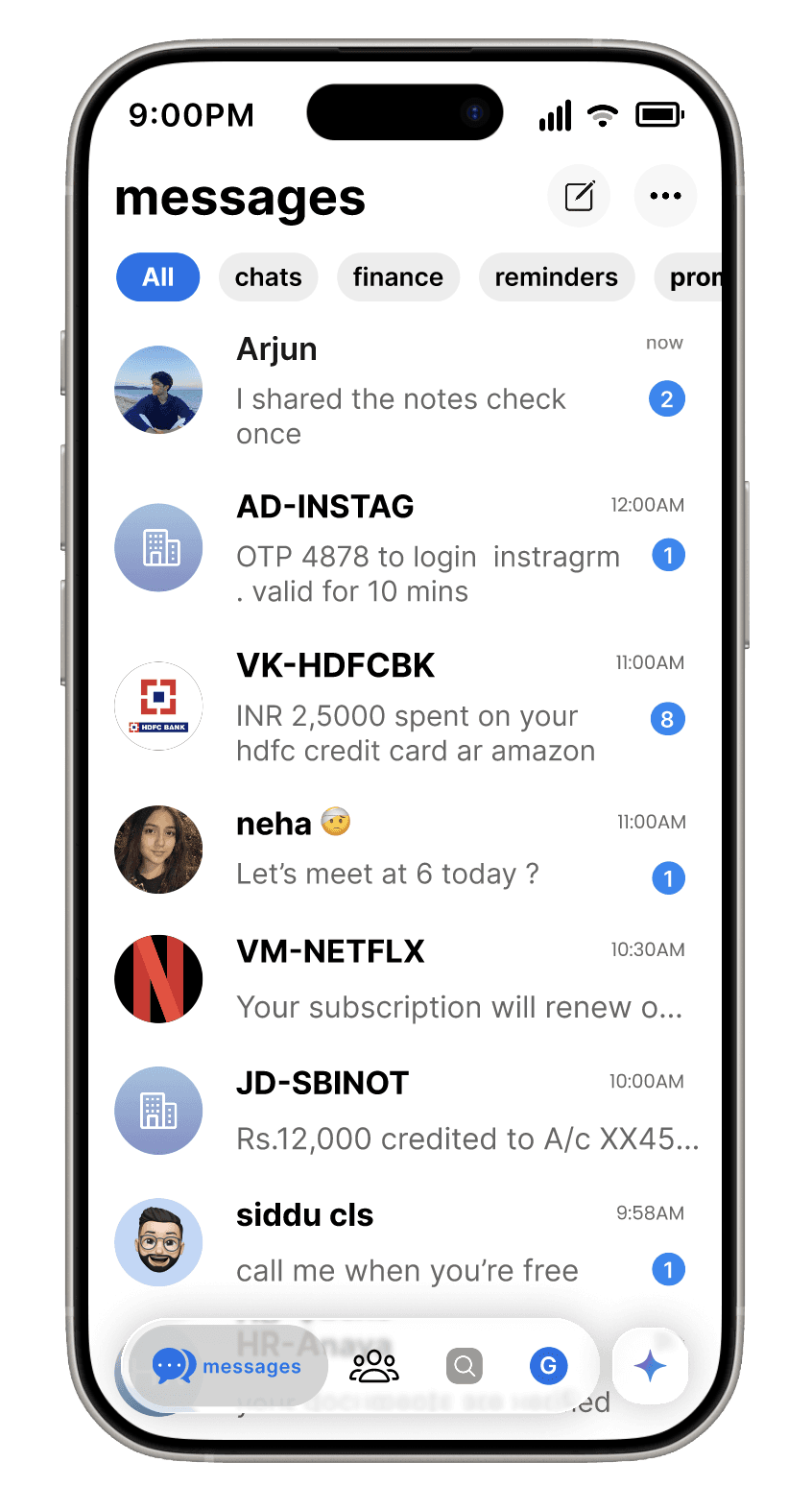
Google Messages is the default messaging app for billions of Android users, yet personal, financial, and system messages are mixed into a single inbox, making important information hard to find and cognitively overwhelming.This case study redesigns the inbox with calarity, simplified navigation, and visual differentiation between SMS and RCS.and intitutive .The goal is to make everyday communication faster and ease.
Role
product desinger
Timeline
21 days
Impact
Clear separation of personal and system messages
Reduced confusion between SMS and RCS
Improved security around OTP visibility
Lower effort to manage daily conversations
Problem Area
one inbox, too many intents
Google Messages mixes personal, system, and financial messages into a single inbox. As message volume grows, users struggle to scan conversations, access frequent chats, and trust sensitive information in everyday communication.
UX Research
Research Method
User interviews (friends & family) and Google Messages Play Store review analysis to identify and understand pain points.
Key insights :
Inbox is hard to scan
Users naturally categorize messages by intent (personal, finance, reminders), but the inbox forces them to scan linearly, creating unnecessary effort.
OTP visibility creates a security risk
Displaying OTP content on the lock screen prioritizes speed over security, exposing sensitive information in shared or public environments.
chats needs dedicated space
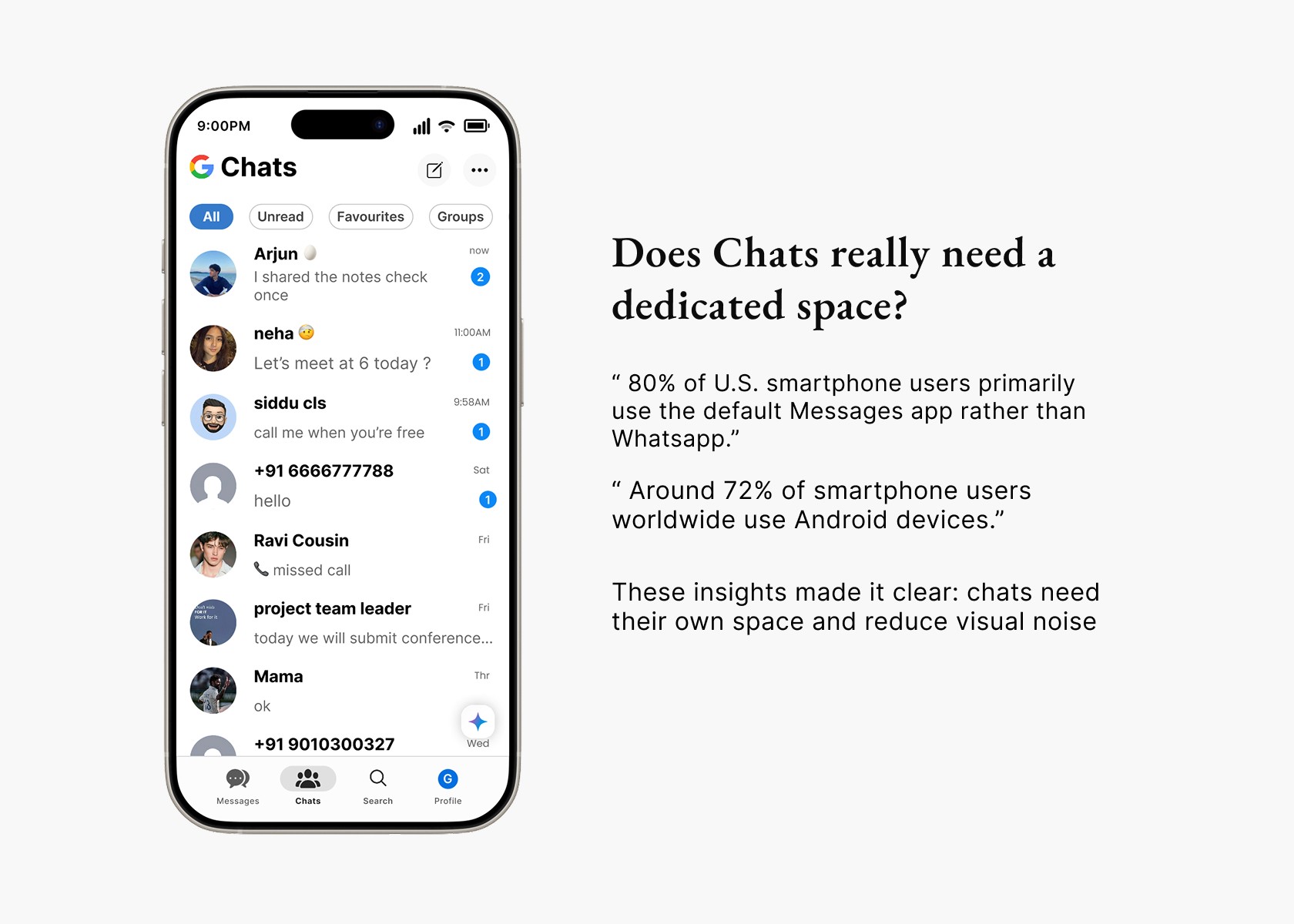
Users need a separate Chats tab because conversations are mixed with system messages, forcing extra steps, scrolling, or search to reach frequent messaging tasks.
SMS and RCS feels confusion
Users cannot easily distinguish between SMS and RCS conversations, leading to incorrect expectations about delivery, media support, and reliability.
These insights directly informed the inbox structure, navigation model, security defaults, and message differentiation decisions.
Design Goals
what i aimed to achieve

Reduce message overload
Help users quickly identify important messages without scanning the entire inbox.

Improve message clarity
Make message type (personal, finance, reminders, promotions) understandable at a glance.

drive adoption
Encourage regular use of messaging features by making daily chats faster and easier
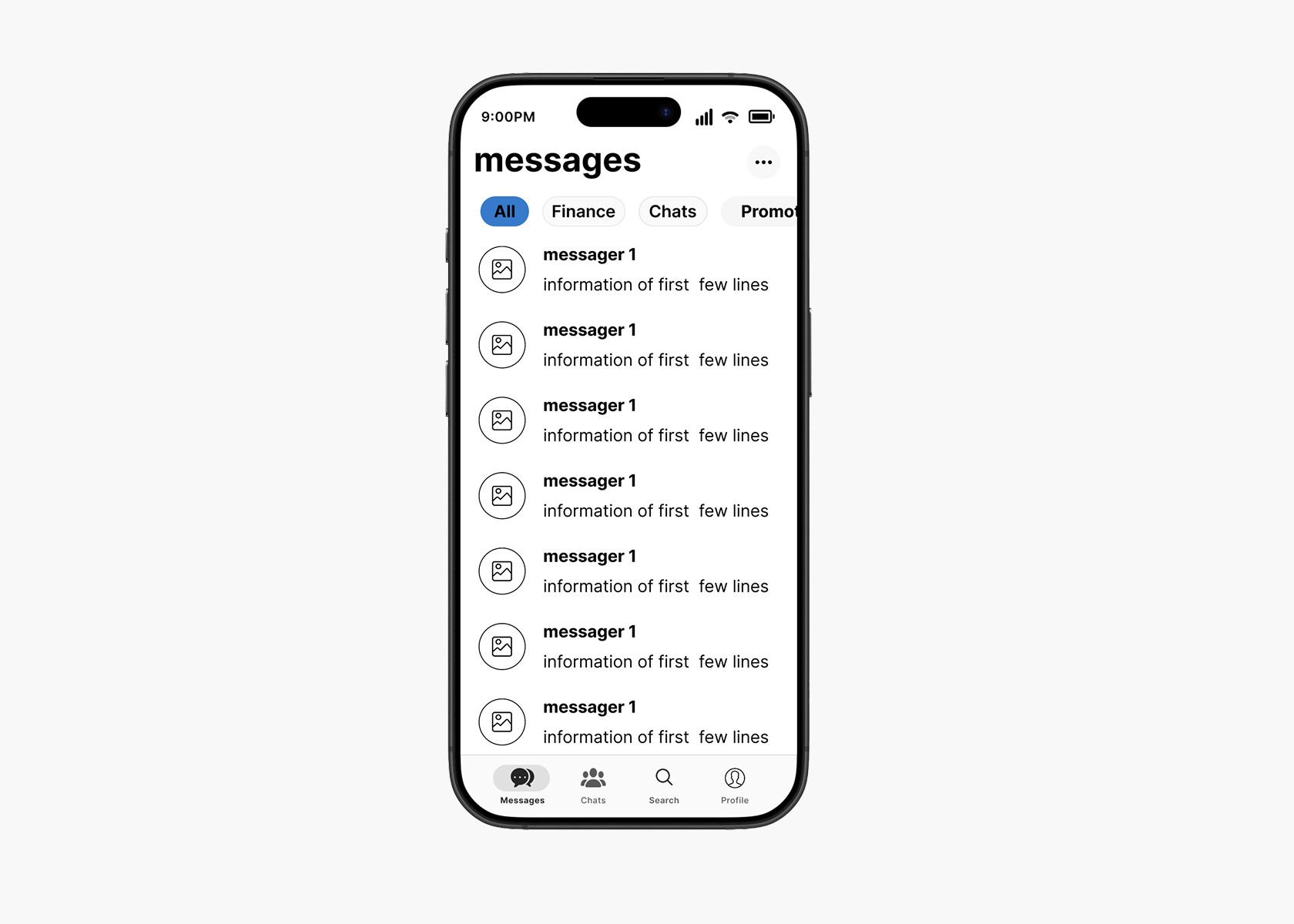
Wireframe
Clarity first — build the skeleton before adding visuals.
design decision 01
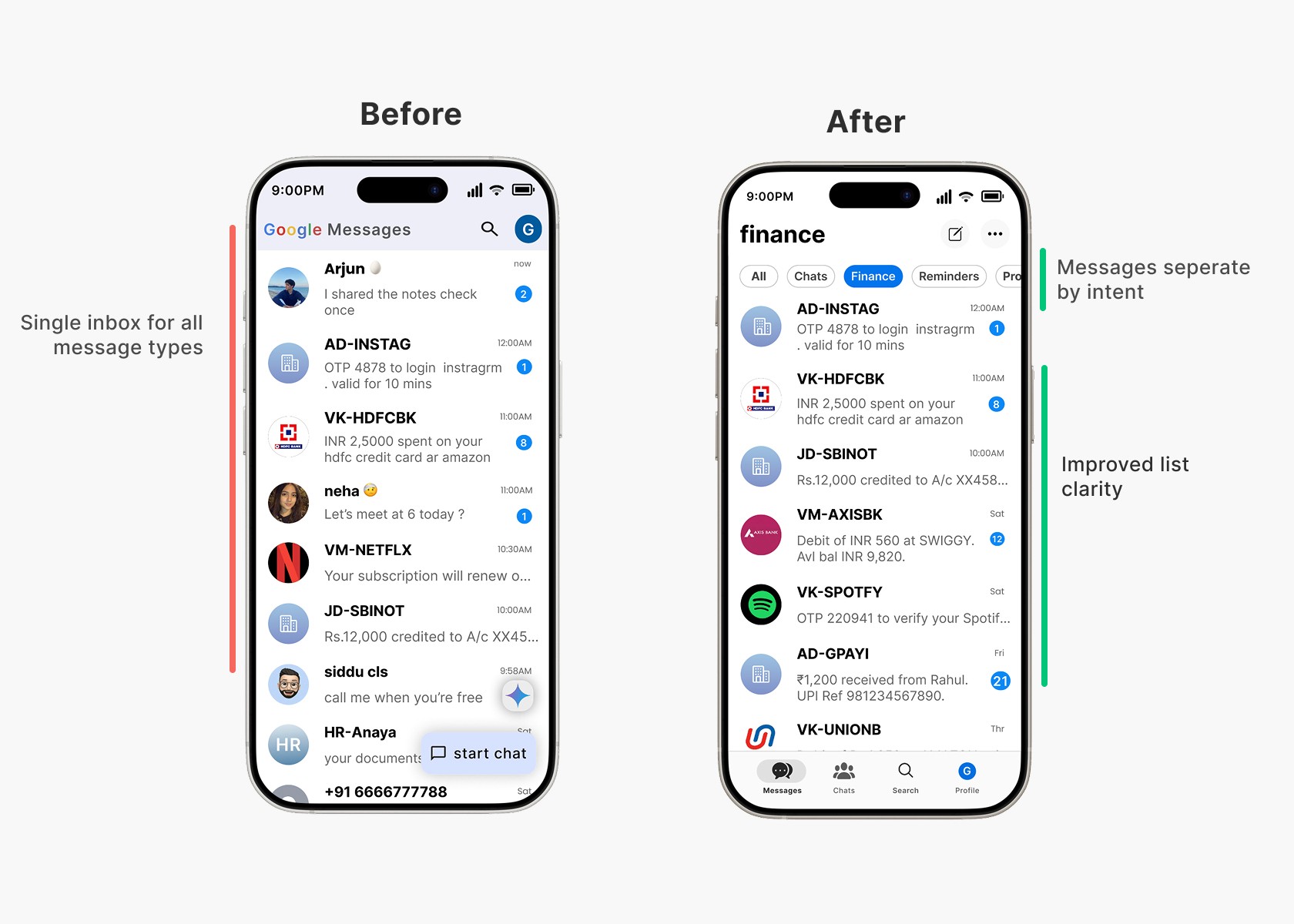
Reducing inbox scanning time through intent-based filtering
Users struggle to find important messages because all message types are mixed in one inbox, so I introduced intent-based filter tabs (All, Personal, Finance, Reminders, Promotions) to separate conversations at the entry point and reduce cognitive load without requiring manual setup.
design decision 02
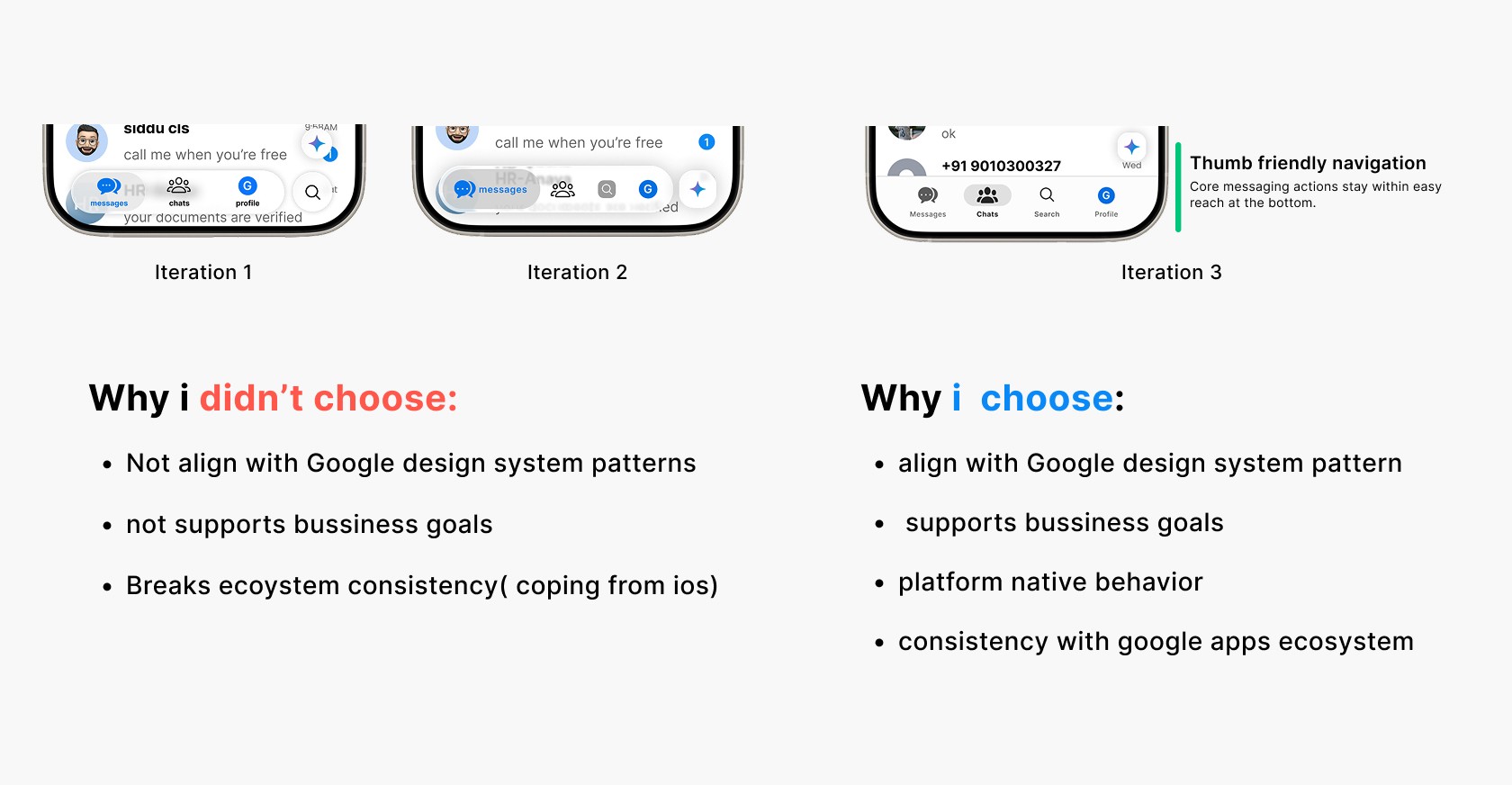
what if chats were treated as primary use case ?
When chat conversations are mixed with OTPs and promotions, users don’t treat the app as a primary place to chat, so I separated Chats from the All inbox and placed Profile and Search as dedicated destinations to create a focused, chat-first space that supports continuous messaging without distractions.
what i realized:
Product designer is not just making a product ease of use.
it's about balancing user value and business goals within constraints and trade-offs.
design decision 03
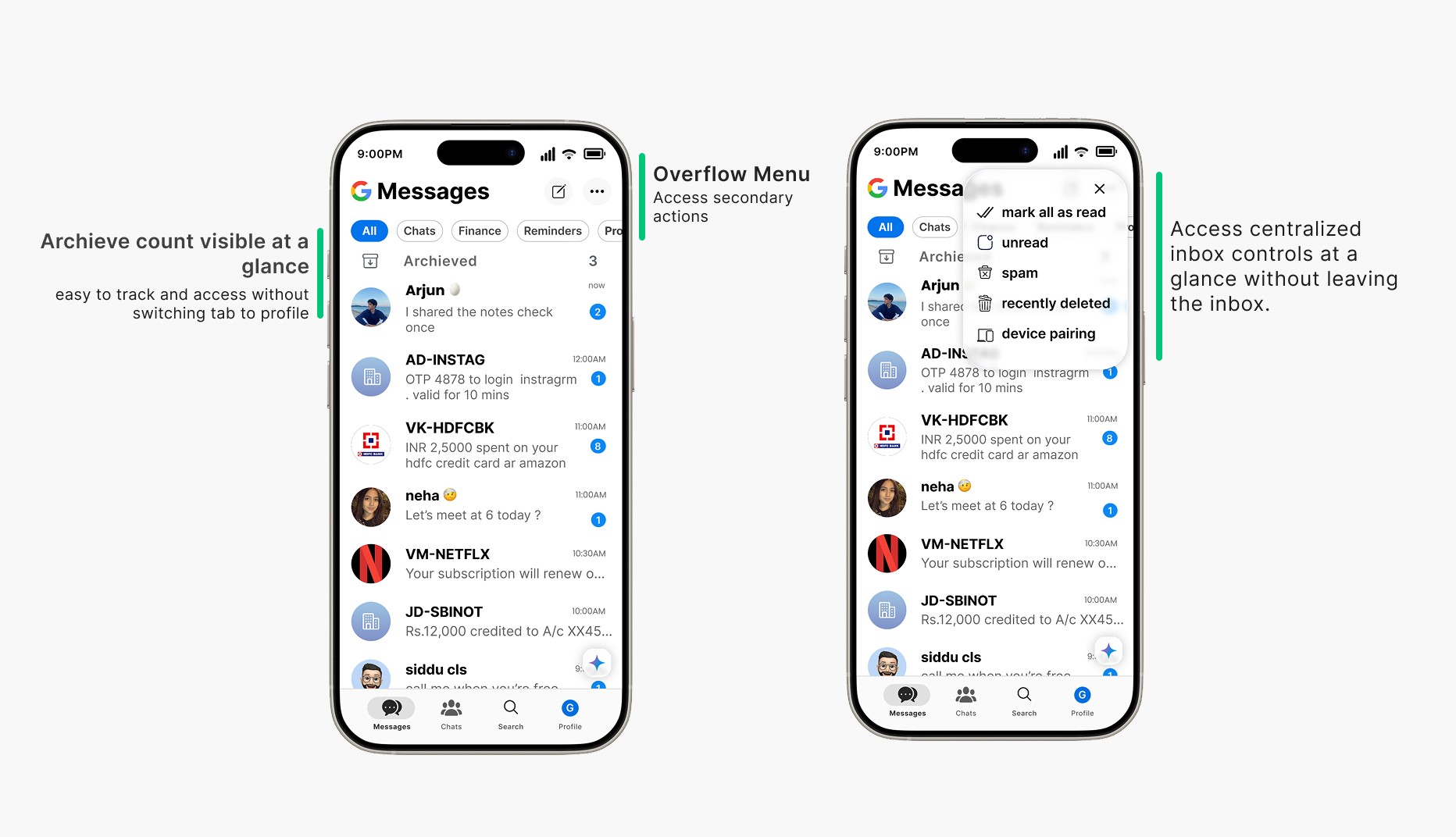
Accessing secondary actions without leaving the inbox
Users struggle to find actions like spam, recently deleted, and device pairing because they are hidden behind the profile tab, so I added a quick menu in the inbox that lets users access these options without leaving their message flow.
design decision 04
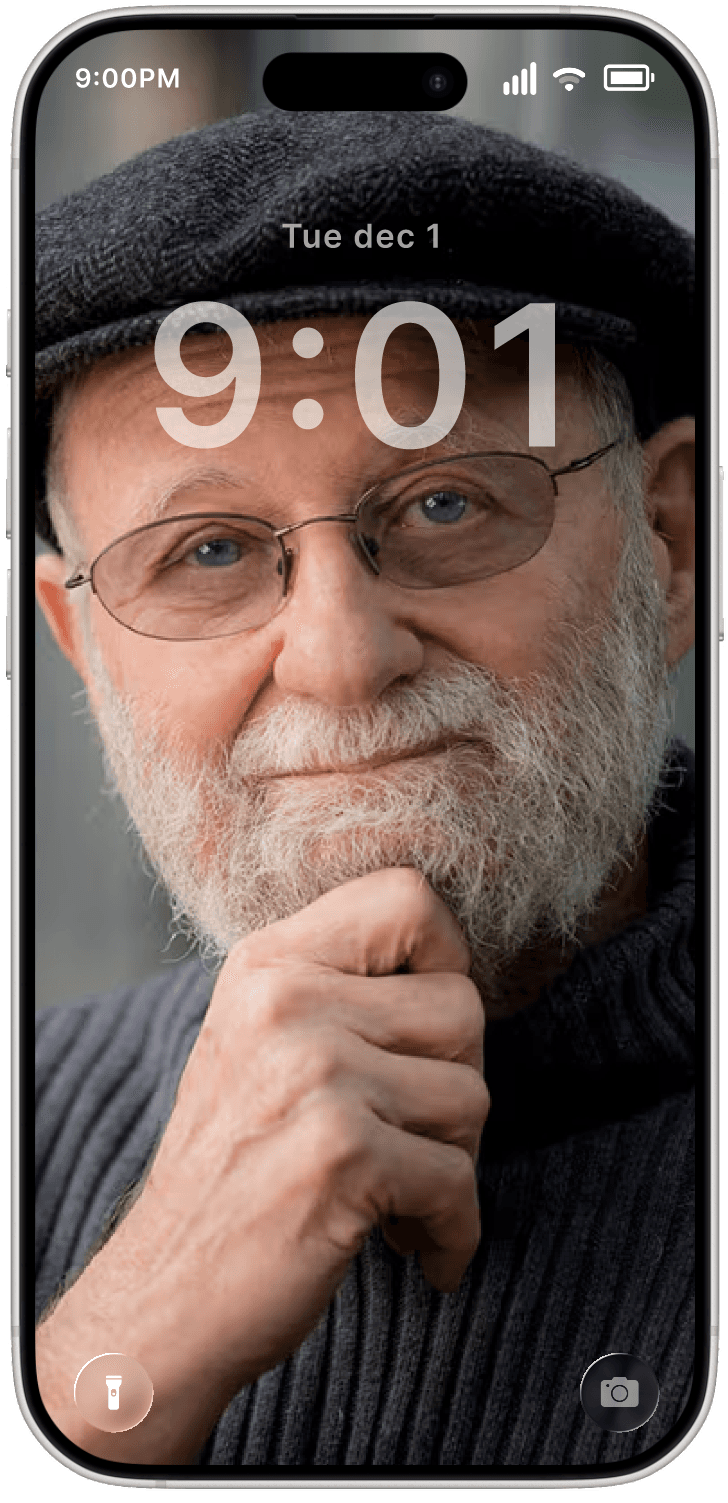
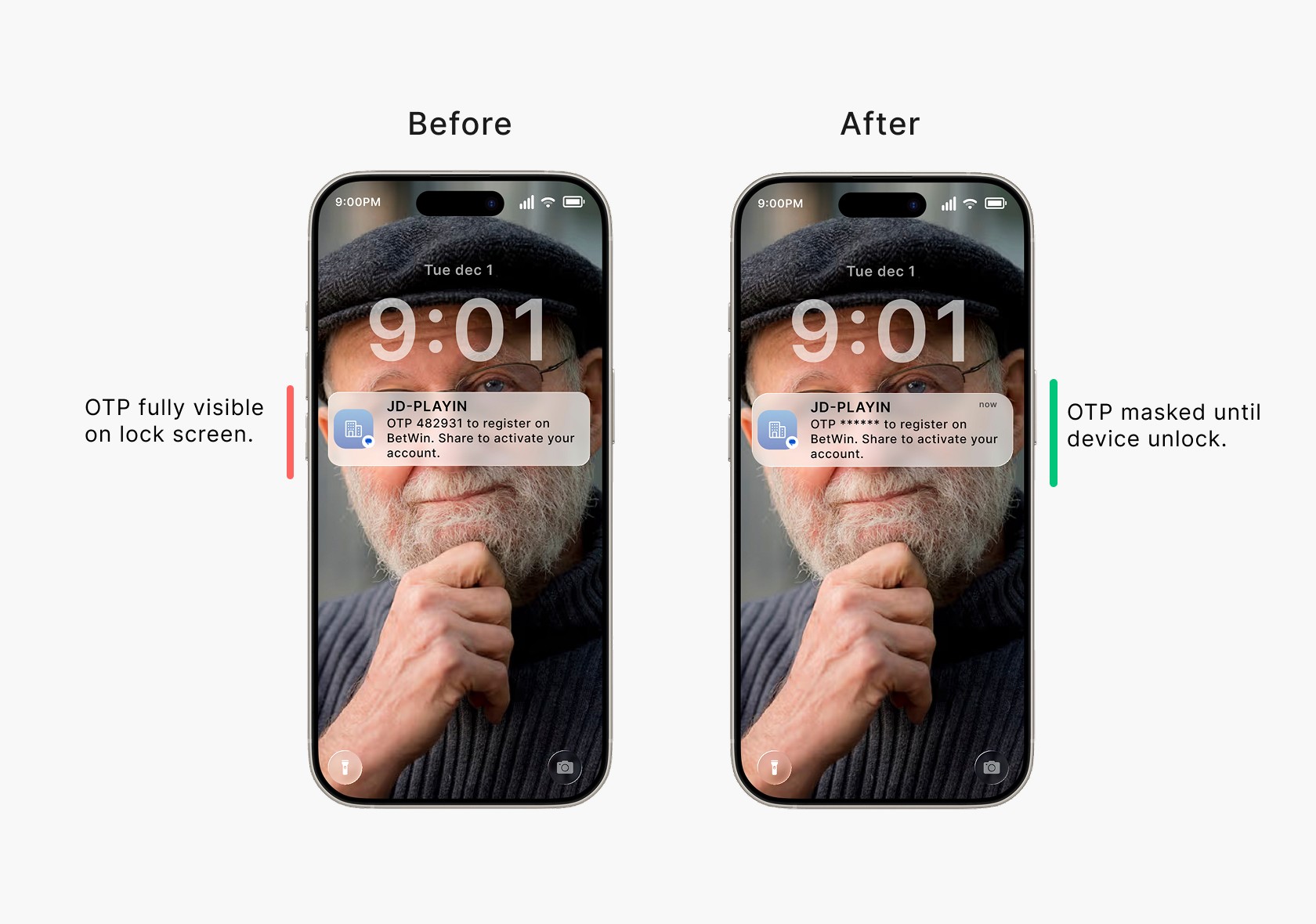
An OTP is a thief’s friend, so it must be hidden.
A single OTP exposed on the lock screen can result in stolen money, account takeovers, and serious real-world consequences.so I hid OTP content until the device is unlocked to keep verification secure while maintaining fast, familiar access and building user trust.
design decision 05
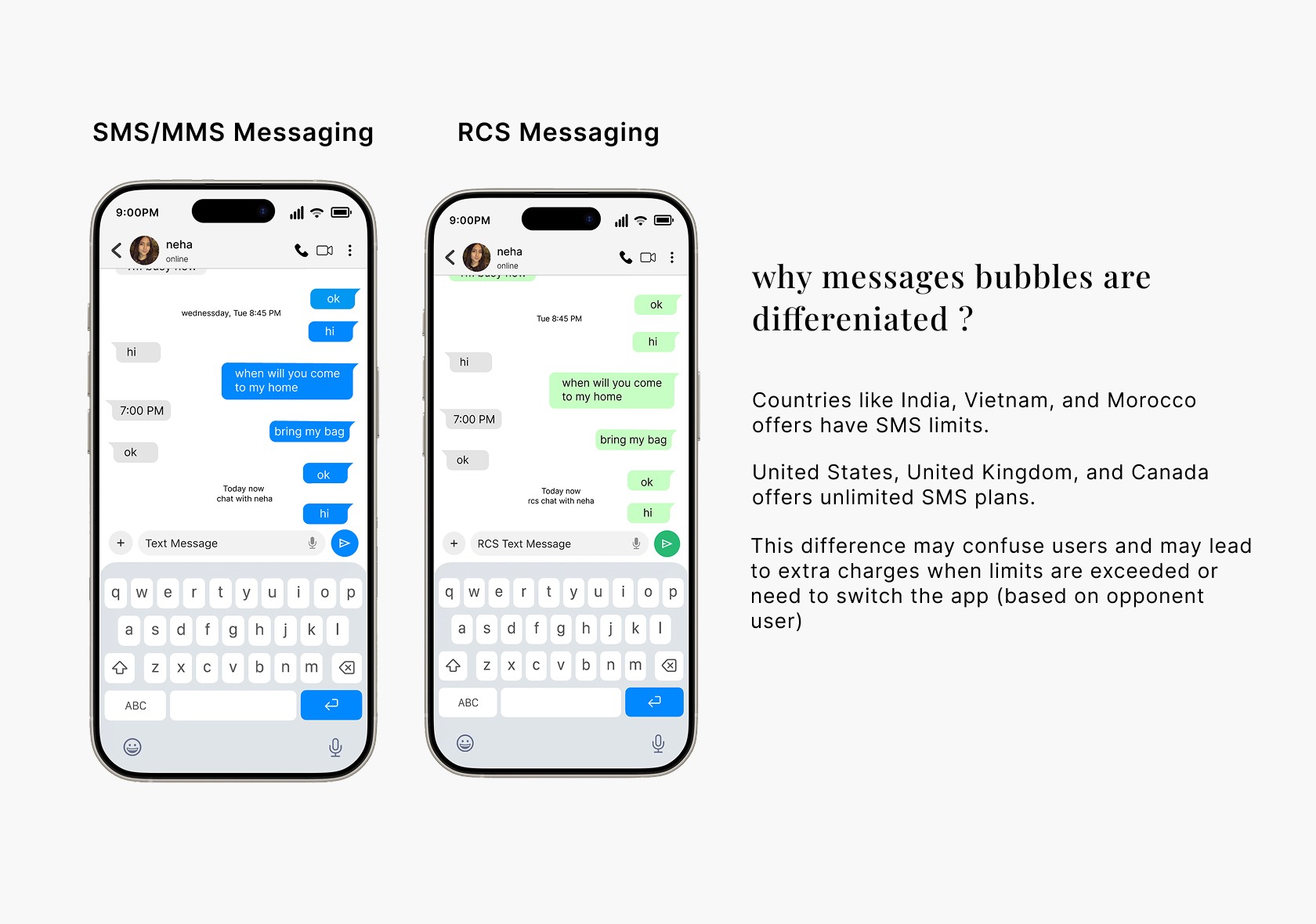
Removing confusion between SMS and RCS messages
Users get confused when SMS and RCS look the same, which leads to failed media, and unexpected charges, I visually differentiated SMS and RCS messages to help users quickly understand delivery behavior, without checking the typing box
Retrospective
Designing for clarity, not features count
Impact

Increased effeciency
Simplified navigation and fewer visible choices make scanning and decision-making easier.

higher chat adoption
Clear separation helps users trust the app for daily communication

Improved security
Hiding OTP content on the lock screen reduces the risk of exposing in public spaces.
Few things that i learned
This case study clarified how small structural decisions can significantly change user behavior, clarity leads to confidence, and trust in a product.

brain prefers few options
Guided by hick's law Reducing choices and visual noise improved scan speed and decision confidence.

UX without security lacks trust
Design isn’t successful when it looks good—it’s successful when users feel safe using it