Zenlock
What if your phone helped you stay focused?
Zen Lock helps people regain control of their screen time by reducing impulsive phone use and keeping distractions out of the way. While existing focus apps often rely on simple timers or easy-to-bypass restrictions, Zen Lock creates a more intentional experience through stronger app locking, mindful interactions, and clear progress tracking. The goal is to help users stay focused and build healthier digital habits
Role
product designer
Timeline
32 days
Impact
Prevented impulsive apps opening during focus sessions
Helped users overcome phone addiction
Increased study productivity by reducing distractions
Made it easier to control distractions while studying
Problem Area
One Device, Endless Distractions
Smartphones have become an essential part of students’ daily lives. However, many students struggle to control their phone usage due to habitual app opening, addictive content, and constant distractions. Existing focus tools are easy to bypass and rely on self-control, making it difficult for students to stay focused and study productively.
UX Research
Research Method
Conducted user interviews (friends) and secondary research, with AI-assisted analysis and competitive analysis to identify and understand pain points.


Raw data to Key insights :
Users often unlock their phones automatically without a specific purpose. Habit loops make it difficult to resist opening distracting apps.
Existing focus tools rely too much on self-control
Most screen-time apps provide reminders or usage statistics but are easy to bypass. Awareness alone is not enough to change behavior.
Most Adults Spend 4–6 Hours on Their Phones
Students use their phones for learning and communication, but social media and entertainment compete for their attention, making it difficult to stay focused.
Distractions reduce focus and productivity
Notifications, social media, and habitual app checking frequently interrupt study sessions, causing users to lose focus, waste time, and feel frustrated after excessive phone use.
These insights are concise, actionable, and clearly justify the core features of Zen Lock such as stronger app restrictions, focus mode, and distraction prevention.
How Might We:
How might we help students avoid opening distracting apps when they act on impulse?
HMW 02 — Reduce reliance on willpower
How might we help students stay focused without depending entirely on self-control?
HMW 03 — Support flexible phone usage
How might we help students balance focused study with necessary phone usage?
HMW 04 — Encourage intentional decisions
How might we help users pause and reconsider before accessing distracting apps?
Design Opportunities :
1. Create stronger barriers that prevent access to distracting apps during focus sessions.
2. Allow only essential apps such as Calls, Messages, and Payments during strict focus mode.
3. Provide customizable controls such as schedules, time limits, and app open limits for different levels of restriction.
4. Introduce a mindful delay before allowing users to unblock a distracting app.
5. Categorize apps by purpose such as Productive and Distracting to help users understand and manage their usage.
Design Goals
what i aimed to achieve

Reduce Impulsive Phone Usage
Prevent automatic app opening by creating intentional barriers during focus sessions.

Make Staying Focused Effortless
Reduce distractions with stronger focus controls that require less self-control.

Build Healthier Digital Habits
Encourage intentional phone use through screen-time awareness.
User Flow
Mapping how users move through Zen Lock
The flow covers key journeys such as creating rules, starting focus sessions, and managing app access

Note: User flow shown as an overview; individual steps may not be clearly readable at this scale.
Information Architecture
Structuring Zen Lock for easy navigation
I organized Zen Lock’s features into clear sections so users can quickly access focus sessions, create usage rules, and understand their phone usage.

Wireframes
Clarity first — build the skeleton before adding visuals.
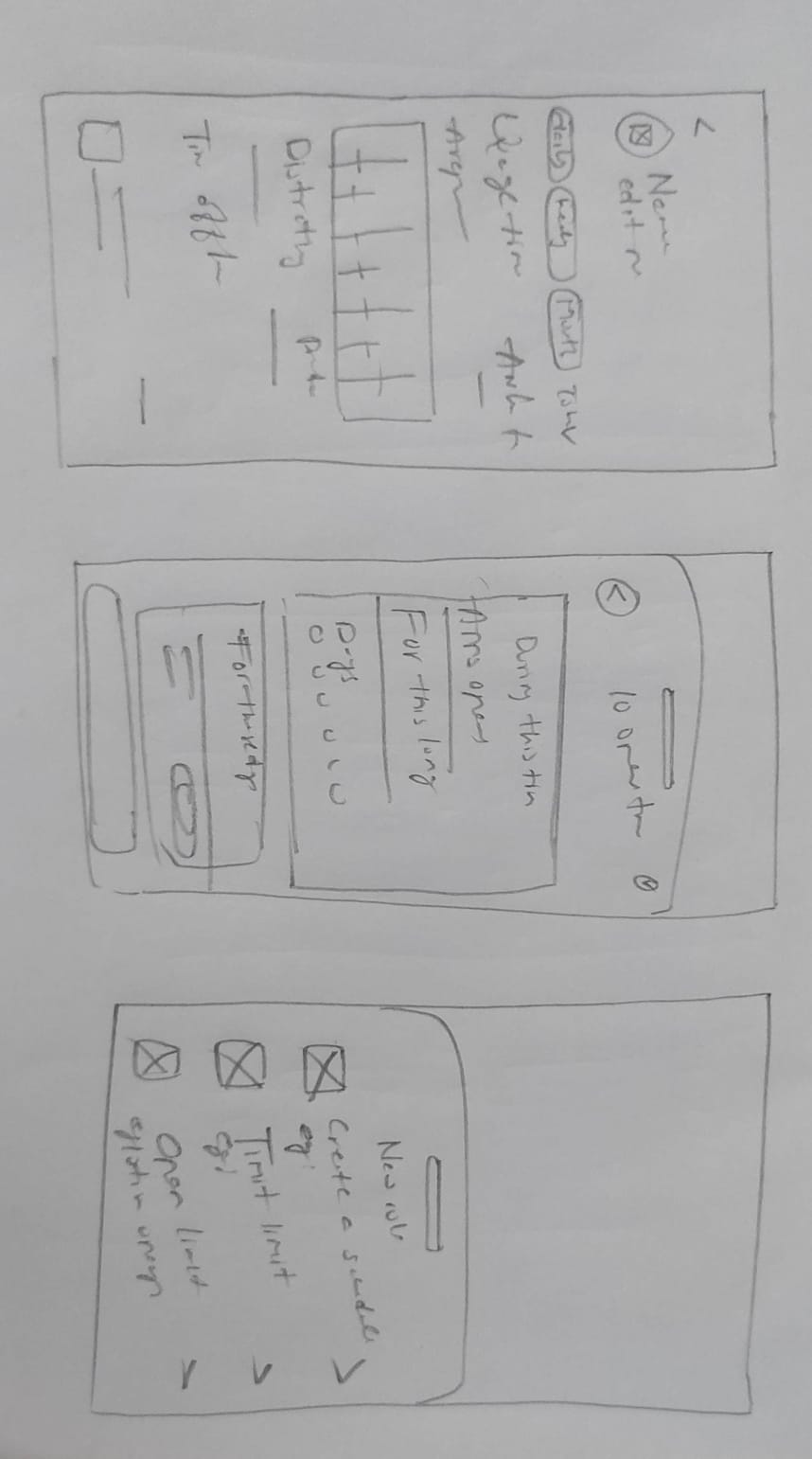
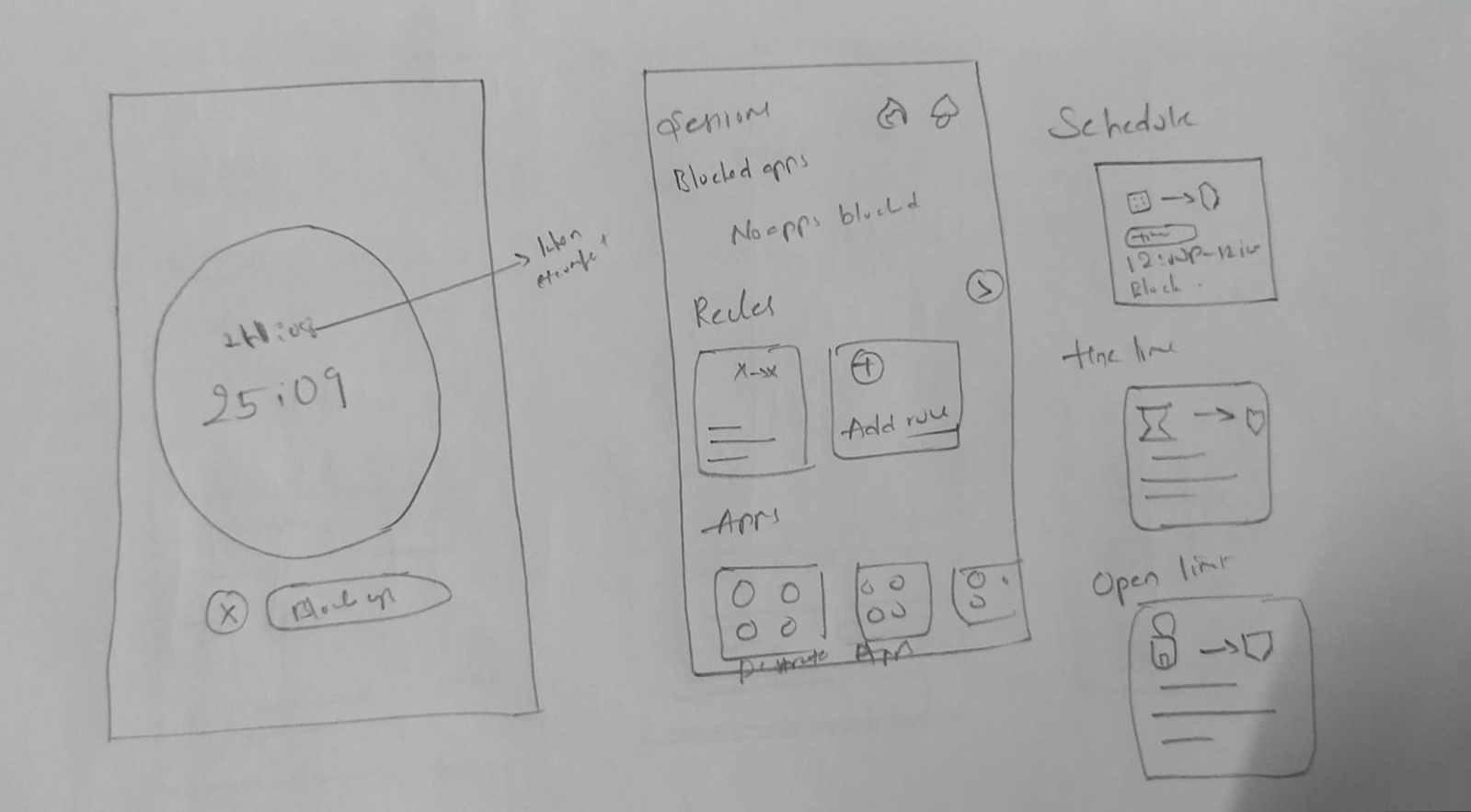
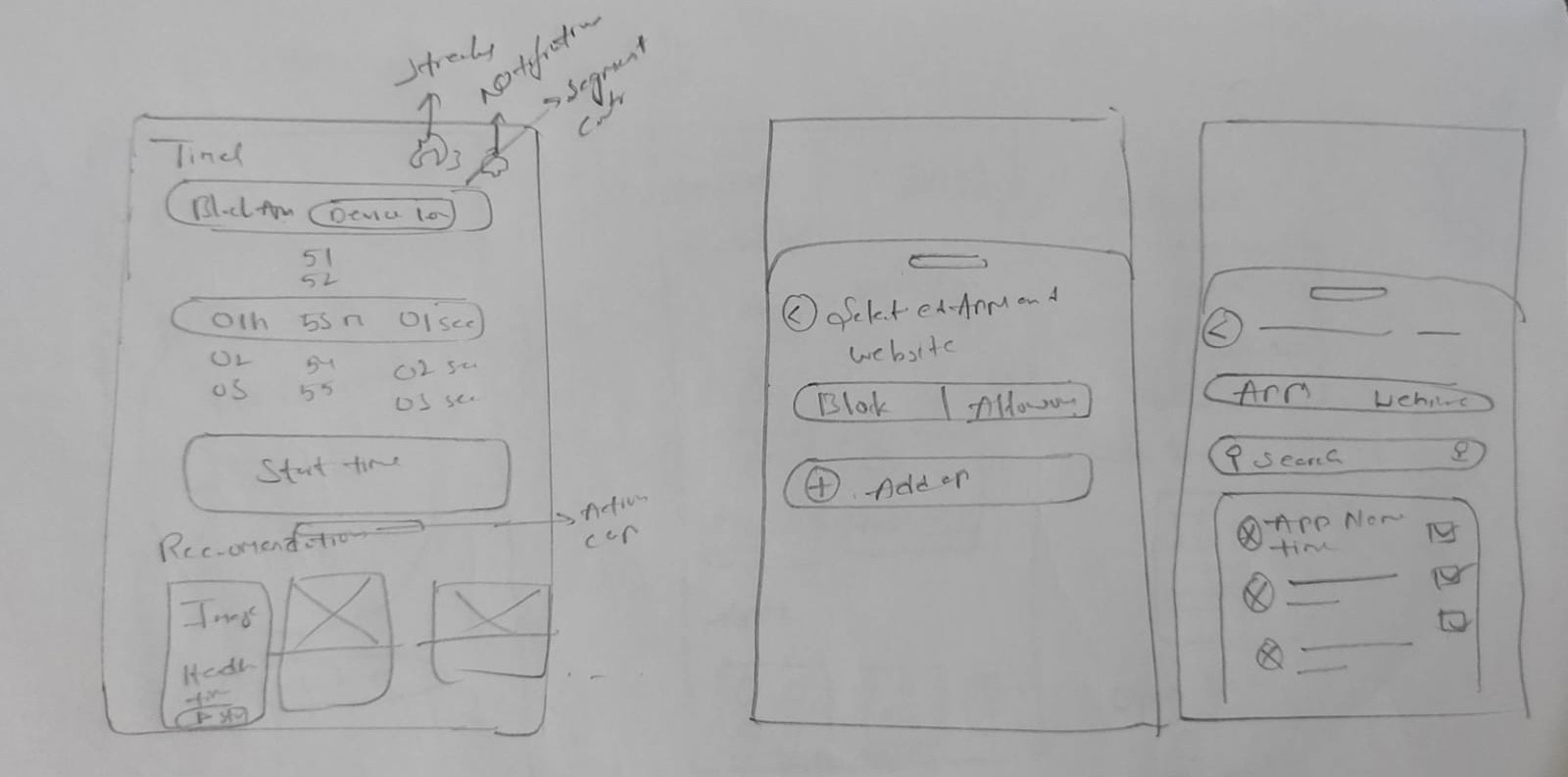
design decision 01
Preventing impulsive app access with a distraction dump mode
Students often open distracting apps when they become mentally tired or experience strong cravings, even after deciding to stay focused. Existing focus apps are easy to bypass or uninstall. To reduce reliance on willpower, I designed Zen Lock to completely block distracting apps i mean dump phone while keeping only essential apps—Calls, Messages, and Payments—accessible during focus sessions. This helps users stay focused with less mental effort.


design decision 02
Supporting flexible focus with customizable rules
Not every user wants to completely block their phone. Many students need access to their devices for learning, communication, or short breaks while staying productive. To support different levels of self-control, I introduced customizable rules such as Schedules, Time Limits, and Open Limits, allowing users to balance phone usage without unnecessary restrictions.

Customization of each rule how user wants

design decision 03
Adding a mindful delay before unblocking apps
Users often try to open distracting apps during moments of strong impulse, when self-control is at its lowest. Instead of unlocking the app instantly, I introduced a short waiting period with a breathing animation(20-30s), followed by an intentional confirmation to unblock the app for a selected time. This pause gives users time to regain awareness and decide whether using the app aligns with their original intention.

Delaying makes craving weaker then user takes intentional decision

design decision 04
Helping users distinguish productive and distracting apps
Traditional screen-time reports treat all apps equally, making it difficult to identify time spent on distractions. I categorized apps as Productive, Neutral, and Distracting, with separate usage summaries. This helps users quickly understand their digital habits and make more intentional decisions.

Retrospective
Designing for behavior, not just intention
Impact
Reduced impulsive app usage
Stronger app restrictions helped prevent automatic app opening during focus sessions.

Improved study focus
Customizable rules allowed users to balance productivity with essential phone use.

Healthier digital habits
Clear screen-time insights increased awareness of productive and distracting app usage.
Few things that i learned
This case study clarified how small structural decisions can significantly change user behavior, clarity leads to confidence, and trust in a product.

One solution doesn’t fit every user
Flexible rules, such as schedules, time limits, and open limits, allow users to choose the level of control that matches their needs.

Design systems create consistency
A well-structured design system made the interface more consistent, scalable, and easier to maintain.
Let’s Build Better Products Together